> For the complete documentation index, see [llms.txt](https://rex-studio.gitbook.io/rex-studio-docs/llms.txt). Markdown versions of documentation pages are available by appending `.md` to page URLs; this page is available as [Markdown](https://rex-studio.gitbook.io/rex-studio-docs/fivem-script/id-card.md).
# ID CARD
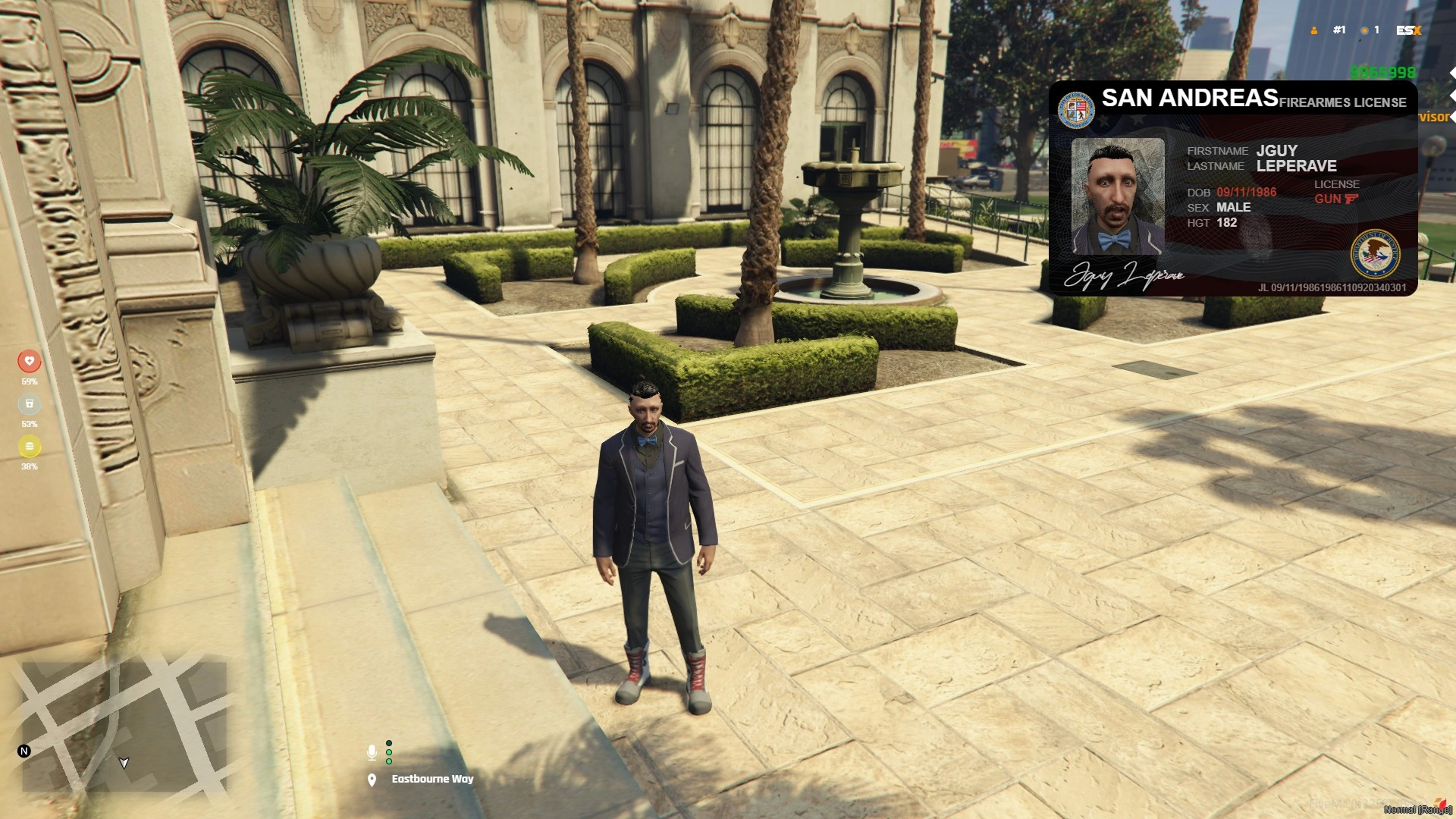
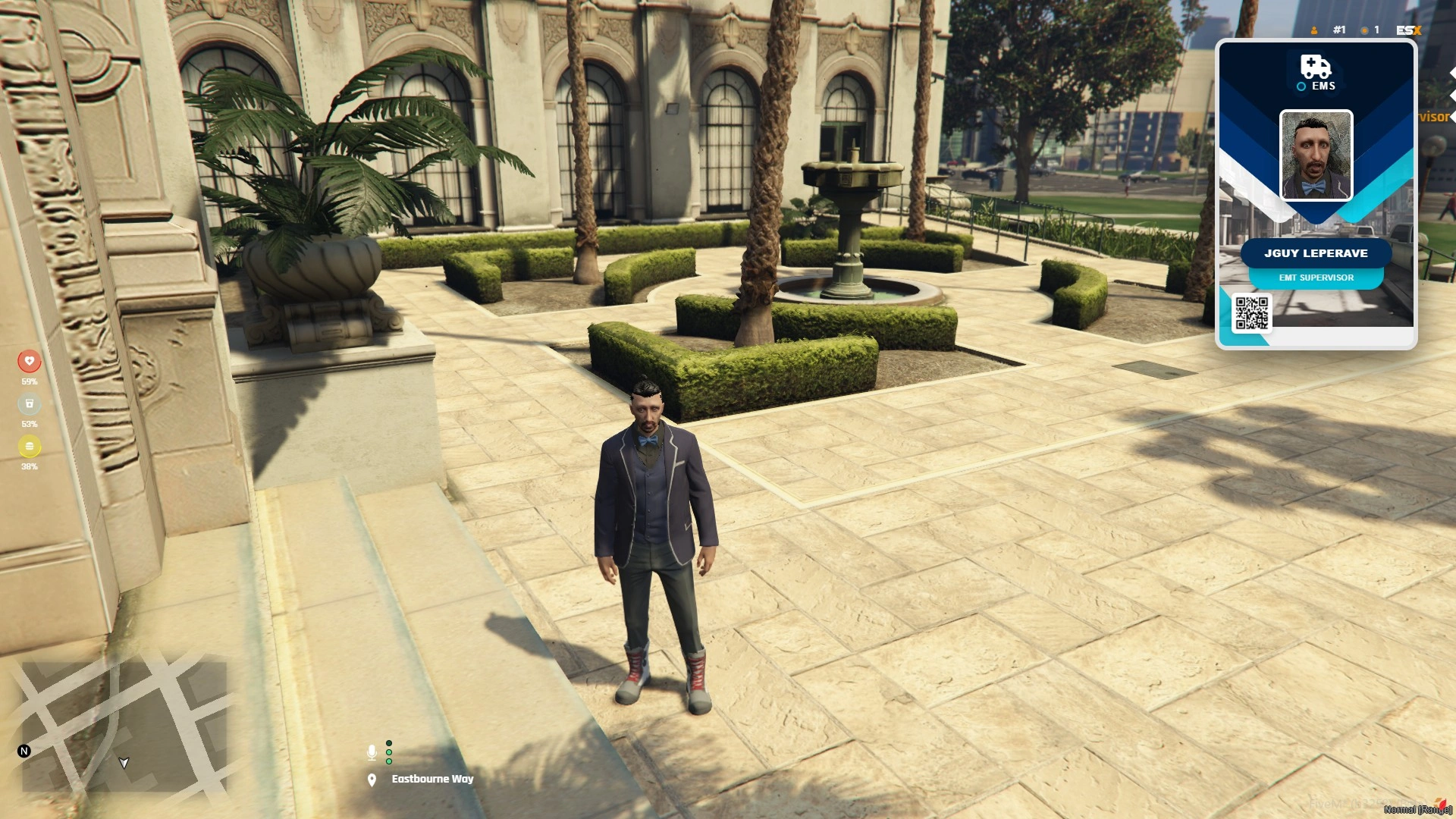
A comprehensive ID card system for ESX Legacy servers featuring passport, driver license, weapon license, and custom card types. Includes photo capture system with Discord/FiveManage integration.
### Features
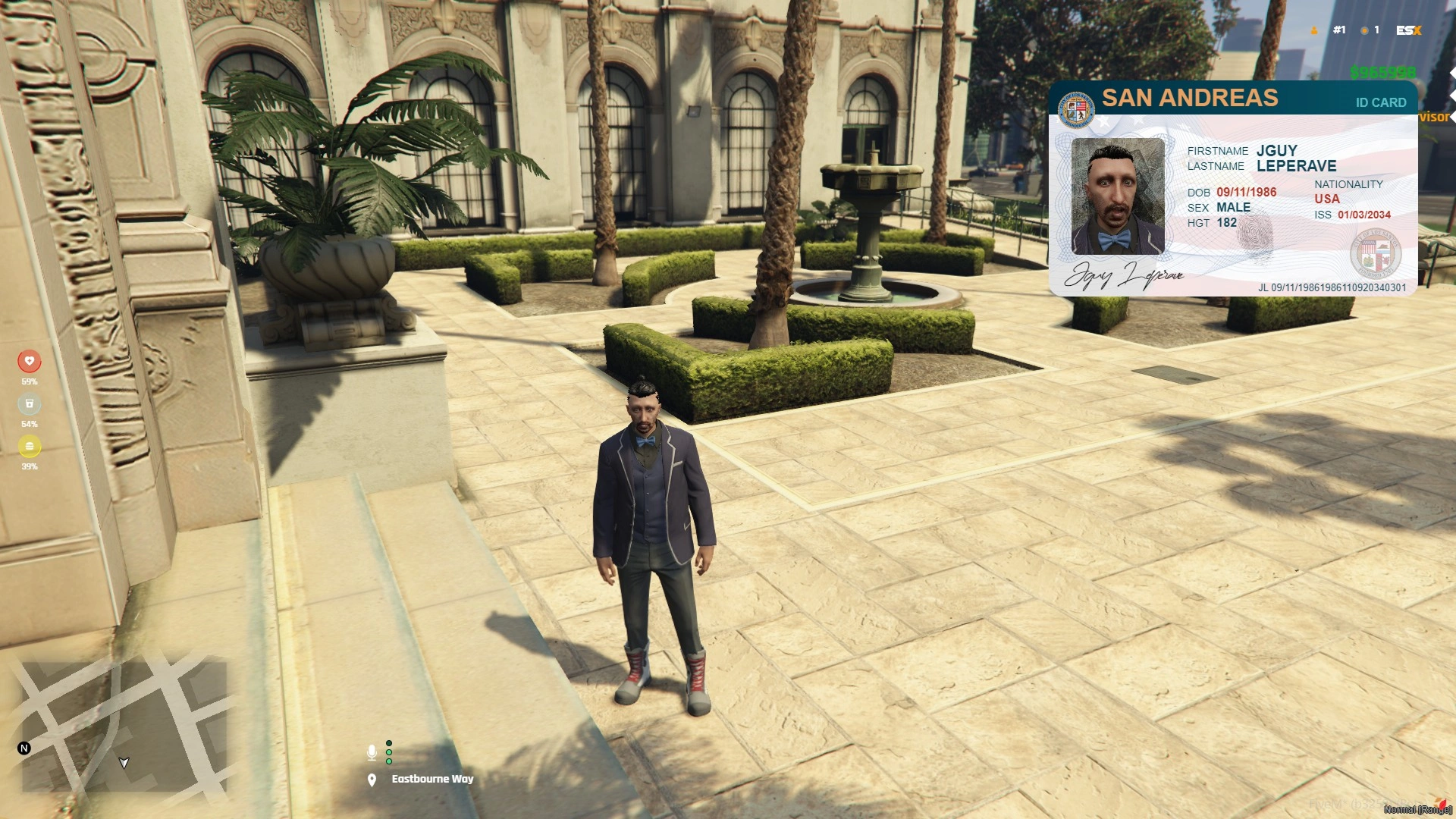
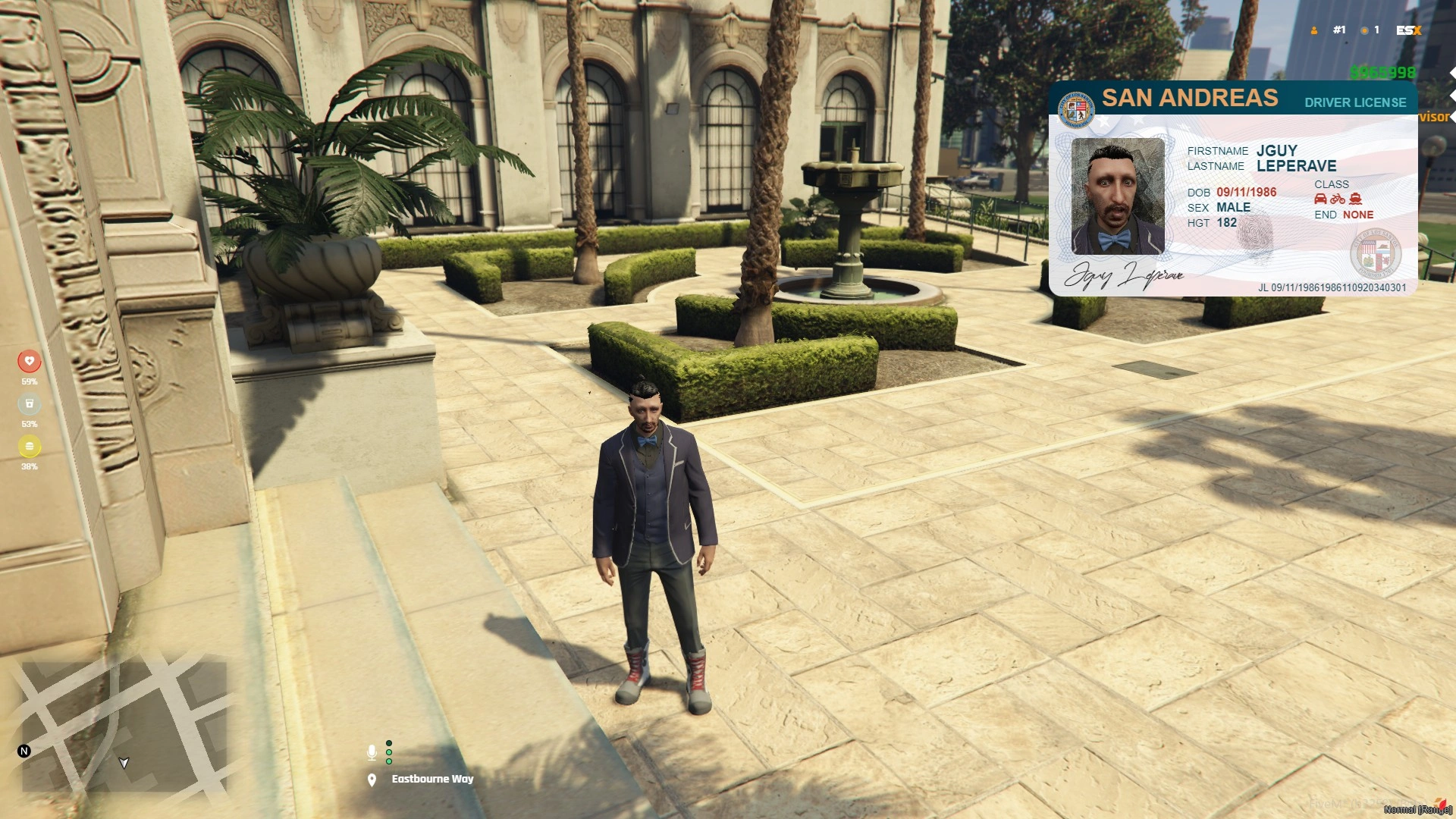
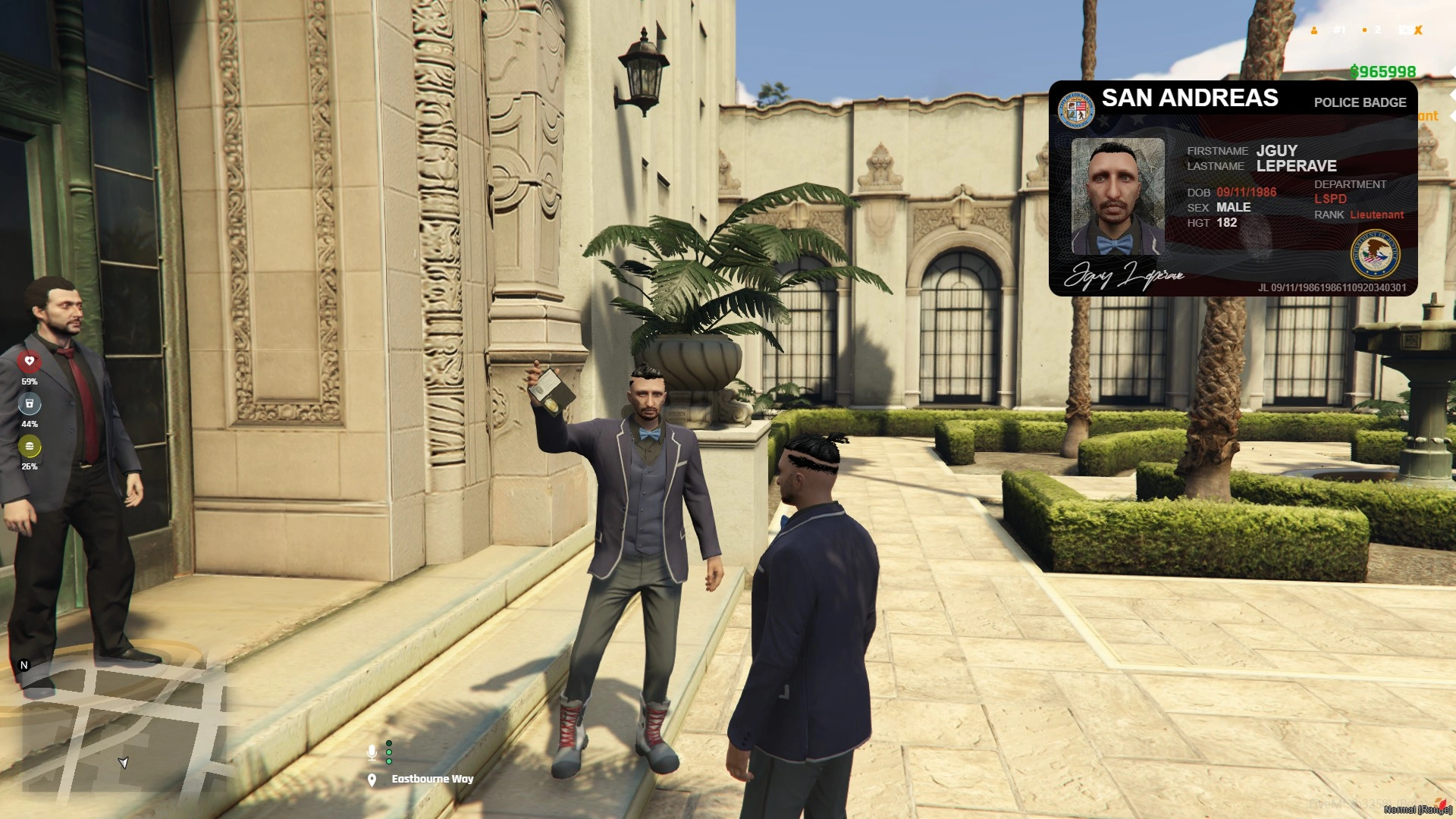
* **Multiple Card Types**: Passport, Driver License, Weapon License, Cayo Card, Police Badge, Job Badges
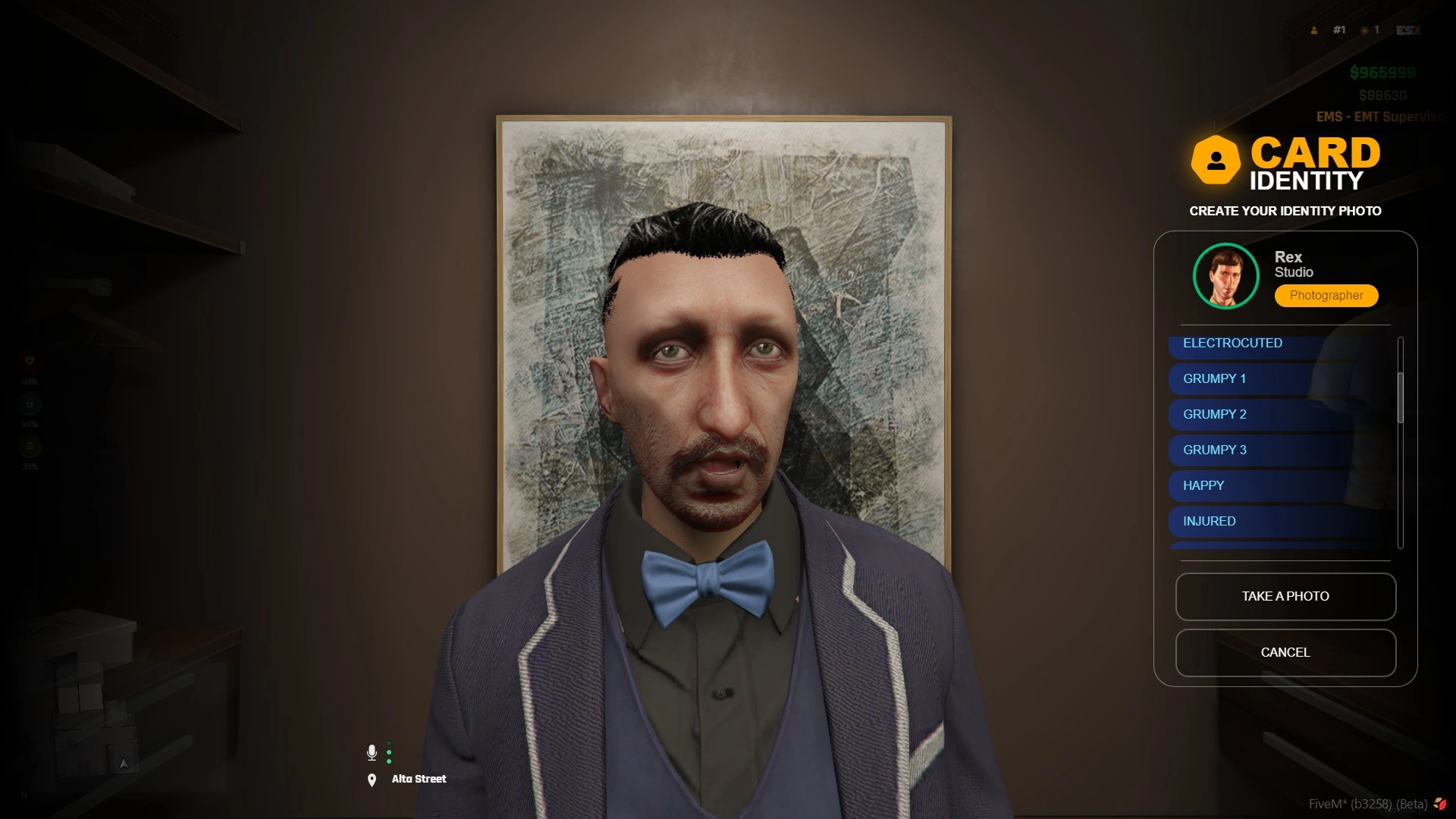
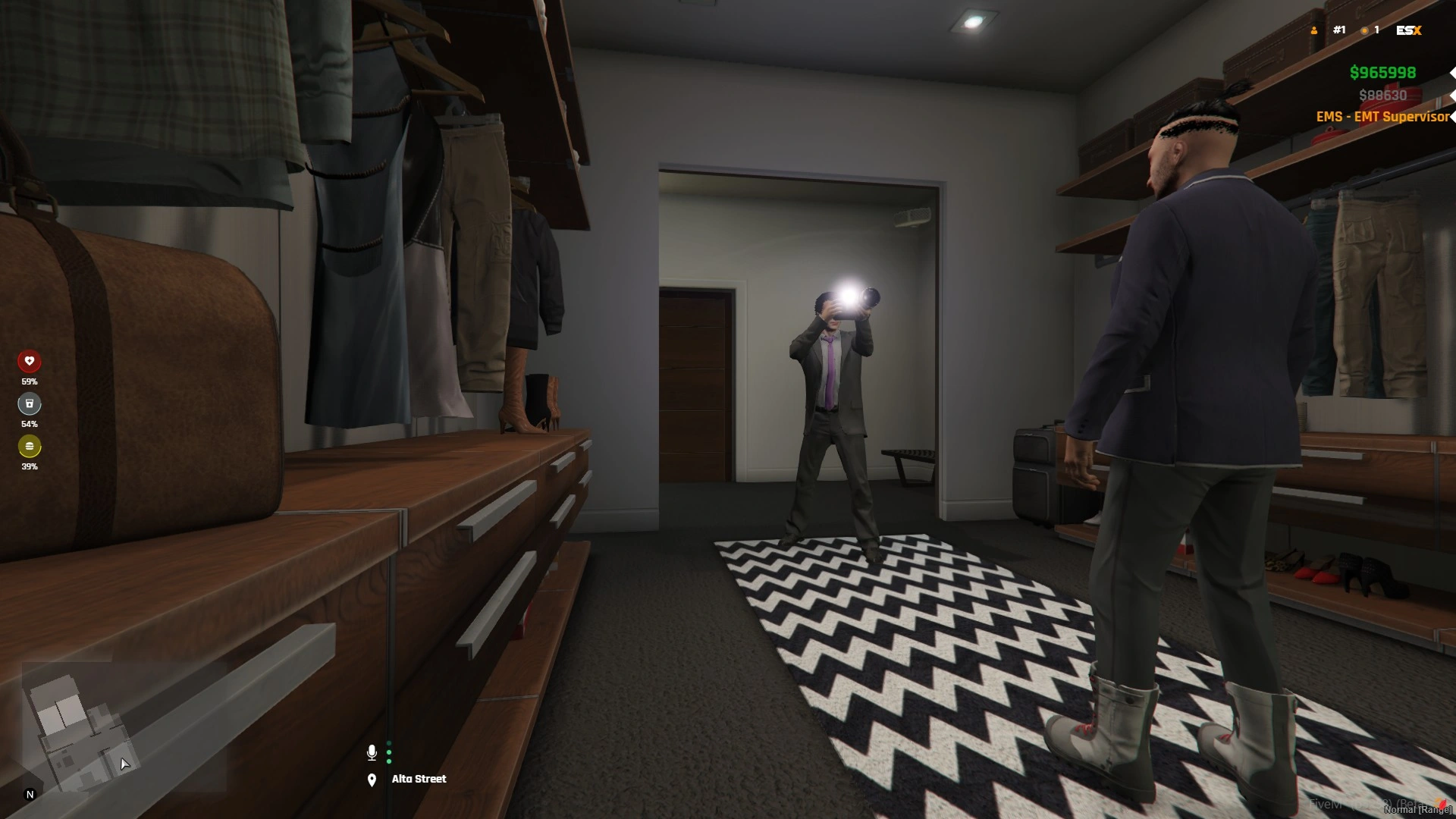
* **Photo System**: Take and store player photos for ID cards
* **Show Cards**: Display cards to nearby players with animations (automatically finds closest player)
* **Export System**: Easy integration with other resources
* **Secure API**: Server-side credential protection for image uploads
* **Customizable**: Extensive configuration options
* **Job Badge System**: Automatic job detection and custom badge display for all jobs
### Requirements
* [ESX Legacy](https://github.com/esx-framework/esx-legacy)
* [esx\_license](https://github.com/esx-framework/esx-legacy/tree/main/%5Bcore%5D/esx_license) (for licenses)
* [screenshot-basic](https://github.com/citizenfx/screenshot-basic) (for photo capture)
### Installation
1. Download and extract the resource to your `resources` folder
2. Add `ensure idcard` to your `server.cfg`
3. Make sure you have the required dependencies installed
4. Configure the resource (see Configuration section)
### Configuration
#### Main Configuration (`shared/_main.lua`)
**Commands**
```lua
PHOTO.Config.Commands = {
openCard = "openCard", -- Command to open your own card
showCard = "showCard", -- Command to show card to nearby player
closeCard = "closeCard", -- Command to close opened card
takePicture = "takePicture" -- Command to take ID photo, can be disable
}
```
**Show Card Distance**
```lua
PHOTO.Config.ShowCardDistance = 3.0 -- Maximum distance in meters to show card to another player
```
**Card Animation**
```lua
PHOTO.Config.ShowCardAnimation = {
enabled = true,
mode = "emote", -- "emote" (uses external emote script) or "custom" (built-in animations)
emoteCommand = "card", -- Emote command name (will be "/e card")
-- Custom mode settings (only used if mode = "custom")
dict = "paper_1_rcm_alt1-9",
anim = "player_one_dual-9",
propBone = 28422,
cardConfigs = {
passport = { prop = "prop_pass_badge", placement = {...} },
driver = { prop = "prop_driver_badge", placement = {...} },
weapon = { prop = "prop_weapon_badge", placement = {...} },
-- ... more card types
}
}
```
**License Configuration**
```lua
PHOTO.Config.Licenses = {
car = {
dbName = "car", -- Must match EXACTLY the type in your user_licenses table
icon = "car", -- Font Awesome icon (without "fa-" prefix)
category = "driver" -- Category for grouping licenses
},
-- Add more licenses as needed
}
```
**Important**: The `dbName` must match EXACTLY the license types in your `user_licenses` table.
#### API Configuration (`shared/api.lua`)
**⚠️ This file is loaded server-side only for security!**
**Export Type**
```lua
PHOTO.Export.Config = {
type = "discord", -- "discord" or "fivemange"
-- FiveManage API (if type = "fivemange")
fivemange = {
apiKey = "YOUR_API_KEY",
apiUrl = "https://fmapi.net/api/v2/image"
},
-- Discord Webhook (if type = "discord")
discord = {
webhook = "YOUR_DISCORD_WEBHOOK_URL"
}
}
```
### Commands
#### `/openCard [type]`
Opens your own ID card.
**Types**: `passport`, `driver`, `weapon`, `cayo`, `police`, `job`, or any configured job name
**Examples**:
* `/openCard` - Opens passport (default)
* `/openCard driver` - Opens driver license
* `/openCard weapon` - Opens weapon license
* `/openCard cayo` - Opens cayo card
* `/openCard police` - Opens police badge (if you're a police officer)
* `/openCard job` - Opens your job badge (automatically detects your job)
* `/openCard mechanic` - Opens mechanic badge (if you're a mechanic)
#### `/showCard [type]`
Shows your ID card to the closest player within 3 meters.
**Types**: `passport`, `driver`, `weapon`, `cayo`, `police`, `job`, or any configured job name
**Examples**:
* `/showCard driver` - Shows driver license to nearby player
* `/showCard weapon` - Shows weapon license to nearby player
* `/showCard police` - Shows police badge to nearby player (if you're a police officer)
* `/showCard job` - Shows your job badge to nearby player (automatically detects your job)
* `/showCard mechanic` - Shows mechanic badge to nearby player (if you're a mechanic)
#### `/closeCard`
Closes the currently opened ID card.
#### `/takePicture`
Opens the photo capture menu to take a new ID photo.
**Note**: This command can be disabled by setting `PHOTO.Config.EnableTakePicture = false`
### Exports
#### Client-Side Exports
**`GetCardId()`**
Returns the URL of the player's ID card photo.
**Returns**: `string` - Photo URL or `nil` if no photo exists
**Example**:
```lua
local photoUrl = exports['idcard']:GetCardId()
if photoUrl then
print("Photo URL: " .. photoUrl)
else
print("No photo found")
end
```
**`OpenCard(cardType)`**
Opens a specific card type for the current player.
**Parameters**:
* `cardType` (string, optional): Card type (`"passport"`, `"driver"`, `"weapon"`, `"cayo"`, `"police"`, `"job"`, or any configured job name). Defaults to `"passport"`.
* If `"job"` is specified, automatically detects the player's current job and shows the corresponding badge.
**Returns**: `boolean` - `true` if successful, `false` if invalid card type
**Examples**:
```lua
-- Open passport
exports['idcard']:OpenCard('passport')
-- Open driver license
exports['idcard']:OpenCard('driver')
-- Open weapon license
exports['idcard']:OpenCard('weapon')
-- Open job badge (automatically detects your job)
exports['idcard']:OpenCard('job')
-- Open specific job badge
exports['idcard']:OpenCard('mechanic')
exports['idcard']:OpenCard('police')
```
**`ShowCard(cardType, targetPlayerId)`**
Shows a card to another player. Automatically finds the closest player within configured distance if no target is specified.
**Parameters**:
* `cardType` (string, optional): Card type (`"passport"`, `"driver"`, `"weapon"`, `"cayo"`, `"police"`, `"job"`, or any configured job name). If only one parameter is provided, it's treated as cardType and automatically finds closest player.
* If `"job"` is specified, automatically detects the player's current job and shows the corresponding badge.
* `targetPlayerId` (number, optional): Target player's server ID. If not provided, automatically finds closest player within configured distance (default: 3 meters).
**Returns**: `boolean` - `true` if successful, `false` if no player found or invalid card type
**Examples**:
```lua
-- Automatically find closest player within 3m and show driver license
exports['idcard']:ShowCard('driver')
-- Show weapon license to specific player
exports['idcard']:ShowCard(5, 'weapon')
-- Show passport to specific player
local targetId = GetPlayerServerId(targetPlayer)
exports['idcard']:ShowCard(targetId, 'passport')
-- Show job badge to closest player (automatically detects your job)
exports['idcard']:ShowCard('job')
-- Show specific job badge to closest player
exports['idcard']:ShowCard('mechanic')
-- Show job badge to specific player
local targetId = GetPlayerServerId(targetPlayer)
exports['idcard']:ShowCard(targetId, 'job')
```
### Server Events
#### `idcard:open`
Opens an ID card for a player.
**Parameters**:
* `sourcePlayerId` (number): Server ID of the player showing the card
* `targetPlayerId` (number): Server ID of the player viewing the card
* `cardType` (string, optional): Card type (`"passport"`, `"driver"`, `"weapon"`, `"cayo"`). Defaults to `"passport"`.
* `photoUrl` (string, optional): Photo URL. If not provided, uses stored photo.
**Example**:
```lua
-- Show your own passport
TriggerServerEvent('idcard:open', GetPlayerServerId(PlayerId()), GetPlayerServerId(PlayerId()), 'passport')
-- Show driver license to closest player
local player, distance = ESX.Game.GetClosestPlayer()
if distance ~= -1 and distance <= 3.0 then
TriggerServerEvent('idcard:open', GetPlayerServerId(PlayerId()), GetPlayerServerId(player), 'driver')
end
```
### Usage Examples
#### Basic Menu Integration
```lua
-- In your menu script
RegisterCommand('idmenu', function()
ESX.UI.Menu.Open('default', GetCurrentResourceName(), 'id_menu', {
title = 'ID Card Menu',
elements = {
{label = 'View Passport', value = 'passport'},
{label = 'View Driver License', value = 'driver'},
{label = 'View Weapon License', value = 'weapon'},
{label = 'Show Passport', value = 'show_passport'},
{label = 'Show Driver License', value = 'show_driver'},
}
}, function(data, menu)
local value = data.current.value
if value == 'passport' then
exports['idcard']:OpenCard('passport')
elseif value == 'driver' then
exports['idcard']:OpenCard('driver')
elseif value == 'weapon' then
exports['idcard']:OpenCard('weapon')
elseif value == 'show_passport' then
exports['idcard']:ShowCard('passport')
elseif value == 'show_driver' then
exports['idcard']:ShowCard('driver')
end
menu.close()
end, function(data, menu)
menu.close()
end)
end)
```
#### Police Script Example
```lua
-- Check player's driver license
RegisterCommand('checklicense', function(source, args)
local targetPlayer = tonumber(args[1])
if targetPlayer then
exports['idcard']:ShowCard(targetPlayer, 'driver')
else
-- Automatically find closest player
exports['idcard']:ShowCard('driver')
end
end)
-- Check weapon license
RegisterCommand('checkweapon', function()
exports['idcard']:ShowCard('weapon')
end)
```
#### Vehicle Script Example
```lua
-- Show driver license when entering vehicle
AddEventHandler('esx:enteringVehicle', function(vehicle, seat, vehicleName)
exports['idcard']:OpenCard('driver')
end)
```
#### RageUI Menu Integration Example
```lua
-- Show passport button
RageUI.ButtonWithStyle("Identity Card - San Andreas", "Show | Look", {}, true, function(Hovered, Active, Selected)
if (Selected) then
ESX.TriggerServerCallback('rs_menu:HasItem', function(result)
if result then
local closestPlayer, closestDistance = ESX.Game.GetClosestPlayer(nil, IgnorePlayersInSideVehicules)
if closestDistance ~= -1 and closestDistance <= 3.0 then
-- Show card to closest player
TriggerServerEvent('idcard:open', GetPlayerServerId(PlayerId()), GetPlayerServerId(closestPlayer), 'passport', cardId)
else
-- Show card to yourself if no one nearby
TriggerServerEvent('idcard:open', GetPlayerServerId(PlayerId()), GetPlayerServerId(PlayerId()), 'passport', cardId)
end
ExecuteCommand("e card")
else
ESX.ShowNotification("You do not have an ID card!")
end
end, "idcard1")
RageUI.CloseAll()
end
```
#### Using Exports with Job Cards
```lua
-- Open your own job badge (automatically detects your job)
exports['idcard']:OpenCard('job')
-- Show your job badge to closest player
exports['idcard']:ShowCard('job')
-- Show specific job badge (e.g., mechanic) to closest player
exports['idcard']:ShowCard('mechanic')
-- Show job badge to specific player
local targetPlayerId = GetPlayerServerId(targetPlayer)
exports['idcard']:ShowCard(targetPlayerId, 'job')
```
#### Custom Photo Check
```lua
-- Check if player has a photo
local function hasPhoto()
local photoUrl = exports['idcard']:GetCardId()
return photoUrl ~= nil and photoUrl ~= ""
end
-- Use in your script
if hasPhoto() then
print("Player has a photo")
else
print("Player needs to take a photo")
end
```
### Card Types
#### Passport
* Shows: Firstname, Lastname, Date of Birth, Sex, Height, Nationality
* Always available (no license required)
#### Driver License
* Shows: Same as passport + Driver licenses (car, bike, boat, truck, etc.)
* Requires: At least one driver license in `user_licenses` table
#### Weapon License
* Shows: Same as passport + Weapon license
* Requires: Weapon license in `user_licenses` table
#### Cayo Card
* Shows: Same as passport + Cayo license
* Requires: Cayo license in `user_licenses` table
### Photo System
#### Taking a Photo
1. Use `/takePicture` command or trigger `screenshot:takePicture` event
2. Player is teleported to photo studio
3. Photo is captured using `screenshot-basic`
4. Photo is uploaded to Discord/FiveManage (configured in `shared/api.lua`)
5. Photo URL is stored in FiveM KVP and displayed on all cards
#### Photo Storage
* Photos are stored in FiveM Key-Value Pairs (KVP) as `cardId`
* Photo URL is retrieved on resource start
* Photo URL is sent with card data when opening cards
#### Photo Upload Services
**Discord Webhook**
* Uploads photo to Discord channel via webhook
* Returns Discord attachment URL
* Configure webhook URL in `shared/api.lua`
**FiveManage API**
* Uploads photo to FiveManage image hosting
* Requires API key
* Configure API key and URL in `shared/api.lua`
**Security Note**: API keys and webhooks are stored server-side only in `shared/api.lua` to prevent client-side access.
### Database Structure
#### Required Tables
**`users` table**
Must contain:
* `identifier` (string): Player identifier
* `firstname` (string): Player first name
* `lastname` (string): Player last name
* `dateofbirth` (string): Date of birth (format: DD/MM/YYYY or DD-MM-YYYY)
* `sex` (string): "m" or "f"
* `height` (number): Height in cm
**`user_licenses` table**
Must contain:
* `owner` (string): Player identifier (must match `users.identifier`)
* `type` (string): License type (must match `PHOTO.Config.Licenses[].dbName`)
**Important**: The `owner` field format must match your ESX configuration (usually `char1:identifier` or just `identifier`).
### Cache System
The resource uses a server-side caching system to optimize database queries and improve performance.
#### How It Works
* **Automatic Caching**: Player data (identity, licenses, job) is cached when first accessed
* **Cache Lifecycle**: Cache is created when a player opens/shows a card and persists until the player disconnects
* **Cache Refresh**: Cache is automatically refreshed when needed (e.g., when player data changes)
* **Memory Management**: Cache is automatically cleared when a player disconnects
#### Cache Contents
The cache stores:
* **User Data**: Firstname, lastname, date of birth, sex, height
* **Licenses**: All licenses from `user_licenses` table
* **Job Data**: Current job name, label, grade, and grade information
#### Manual Cache Refresh
If you need to refresh a player's cache manually (e.g., after granting a license), you can trigger:
```lua
-- Refresh cache for a specific player
TriggerEvent("idcard:refreshCache", source)
```
#### Cache Events
* `idcard:refreshCache` - Refreshes the cache for a specific player
* Automatically triggered on player disconnect to clean up memory
#### Performance Benefits
* Reduces database queries by caching player data
* Improves response time when opening/showing cards
* Automatically manages memory by clearing cache on disconnect
### Troubleshooting
#### Card doesn't show licenses
* Check that license types in `PHOTO.Config.Licenses` match exactly with your database
* Verify `owner` field format matches your ESX setup
* Check server console for cache errors
* Try refreshing the cache: `TriggerEvent("idcard:refreshCache", source)`
#### Photo doesn't upload
* Verify API credentials in `shared/api.lua`
* Check that `screenshot-basic` resource is started
* Check server console for upload errors
#### Card doesn't open
* Ensure ESX is properly loaded
* Check that player data is available
* Verify card type is valid (`passport`, `driver`, `weapon`, `cayo`)
#### Animation doesn't play
* If using `emote` mode, ensure emote script is installed
* If using `custom` mode, verify animation dictionaries are loaded
* Check `PHOTO.Config.ShowCardAnimation.enabled` is `true`