> For the complete documentation index, see [llms.txt](https://rex-studio.gitbook.io/rex-studio-docs/llms.txt). Markdown versions of documentation pages are available by appending `.md` to page URLs; this page is available as [Markdown](https://rex-studio.gitbook.io/rex-studio-docs/fivem-script/weapon-menu.md).
# WEAPON MENU
## 🔫 Weapon Menu - Complete Documentation
A comprehensive FiveM weapon customization script with real-time preview, VIP system integration, and multi-framework support.
***
### 📋 Table of Contents
* Features
* Installation
* Configuration
* Framework Support
* VIP System
* Modules
* Commands
* Multi-Player Synchronization
***
### ✨ Features
#### 🎨 **Weapon Customization**
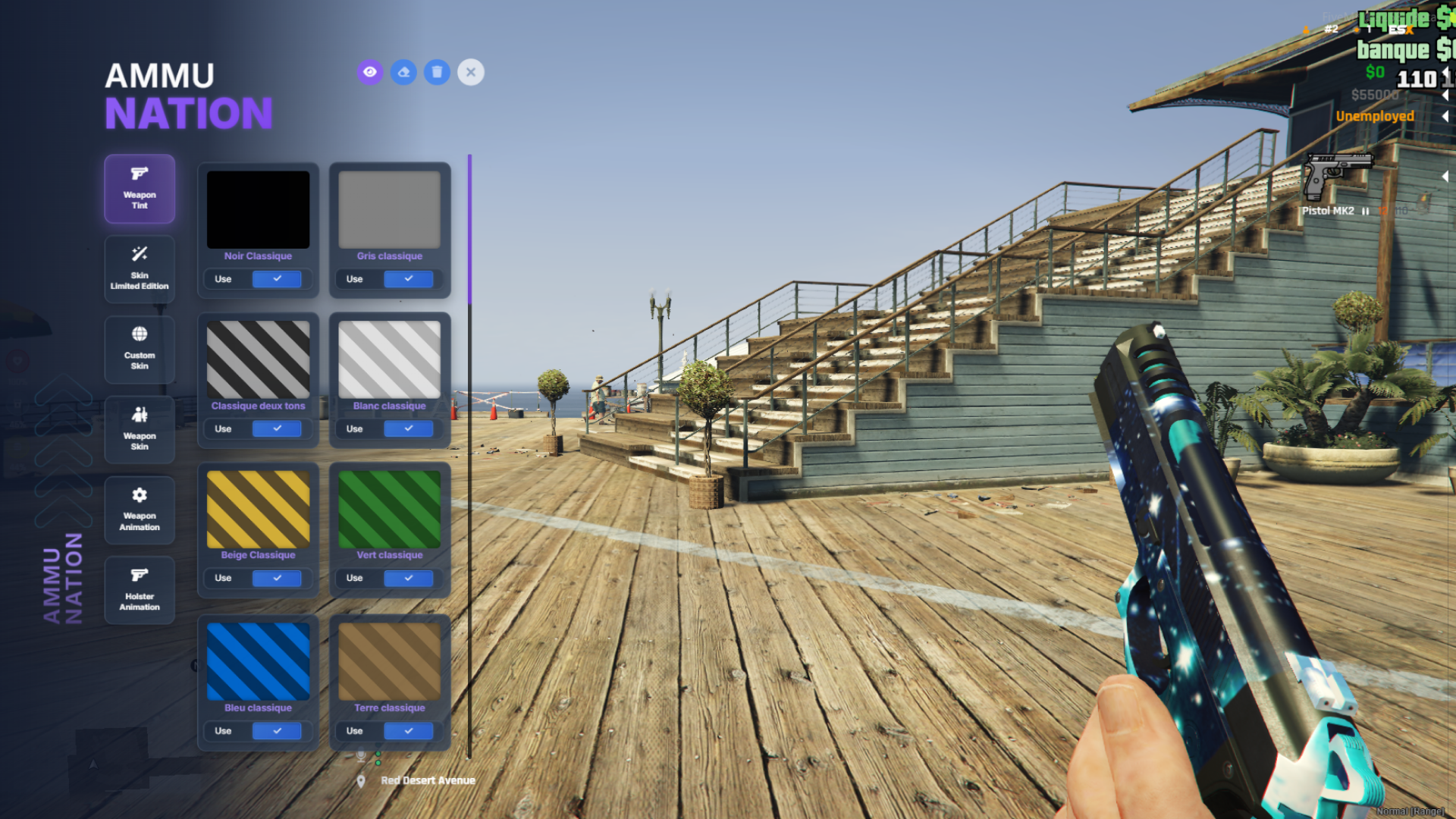
* **Weapon Tints**: 8 colors for standard weapons, 32 colors for MK2 weapons
* **Patterns**: 11 predefined patterns (easily extensible)
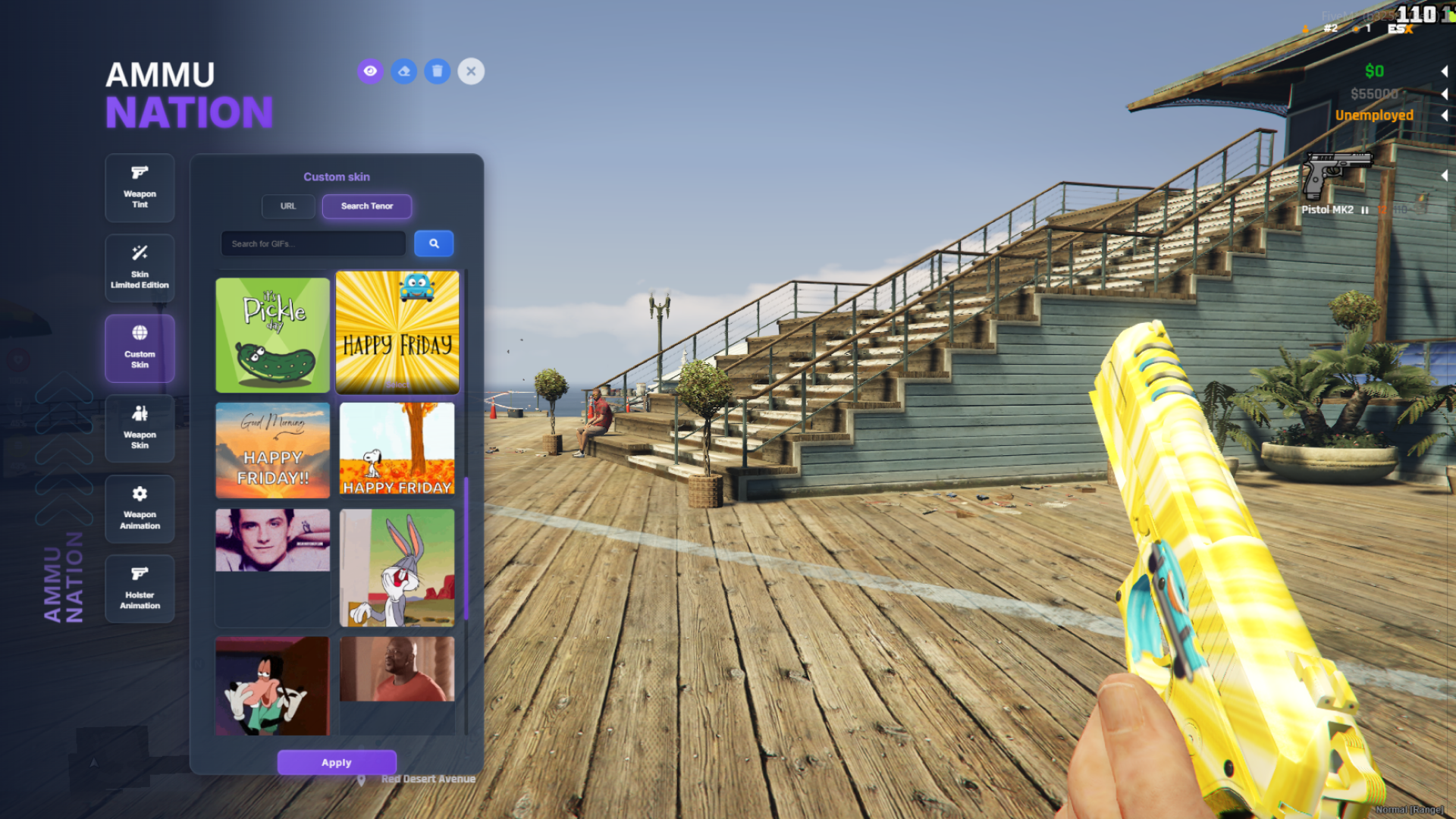
* **Custom Skins**: Support for image URLs (JPG, PNG, GIF, WebP)
* **Weapon Components**: Special skins for specific weapons (knives, knuckles, bats, etc.)
#### 🎭 **Animation System**
* **Weapon Animations**: 5+ animation styles (Default, First Person, Gangster, etc.)
* **Holster Animations**: 7+ holster styles (Side, Back, Front, etc.)
* **Persistence**: All animations saved and restored automatically
#### 👁️ **Preview System**
* Real-time preview before applying skins
* Toggle preview on/off
* Hover preview for quick viewing
* Smart conflict management
#### 💾 **Save System**
* Client-side KVP storage
* Per-weapon customization saving
* Automatic restoration on spawn/restart
***
### 🛠️ Installation
#### Prerequisites
* FiveM Server with `lua54` enabled
* No framework required (works standalone)
#### Steps
1. **Download and extract** the resource to your server:
```
resources/weaponmenu/
```
2. **Add to server.cfg**:
```cfg
ensure weaponmenu
```
3. **Restart** your server or start the resource:
```
restart weaponmenu
```
***
### ⚙️ Configuration
All configuration is done in `shared/config.lua`.
#### Basic Settings
```lua
-- Command to open menu
Config.Command = 'weaponmenu'
-- Keymapping (F9 by default)
Config.KeyMapping = {
enabled = true,
key = "F9",
description = "Open weapon menu"
}
-- Language
Config.Locale = 'en' -- 'fr', 'es', 'en'
-- Preview system
Config.Preview = {
enabled = true
}
```
#### Camera Settings
```lua
Config.Camera = {
viewModeOnOpen = 4, -- 0-4 (First Person Aiming = 4)
viewModeOnClose = 1 -- 0-4 (Third Person Medium = 1)
}
```
#### Tenor GIF Integration
```lua
Config.Tenor = {
enabled = true,
apiKey = "YOUR_API_KEY", -- Get free key at https://developers.google.com/tenor/guides/quickstart
rating = "g", -- g, pg, pg13, r
limit = 20,
mediaFilter = "minimal" -- minimal (no watermark) or basic
}
```
***
### 🔌 Framework Support
The script **automatically detects** your framework:
* ✅ **ESX Legacy** - Detected if `es_extended` is started
* ✅ **QBCore** - Detected if `qb-core` is started
* ✅ **Standalone** - Used if no framework detected (uses `playerSpawned` event)
No configuration needed! The script will display a console message indicating which framework was detected.
***
### 👑 VIP System
#### Enable VIP System
```lua
Config.VIP = {
enabled = true,
checkVIP = function(source)
-- Your VIP check logic here
-- Example: TriggerServerEvent('weaponmenu:checkVIP')
-- return true or false
return false
end
}
```
#### Make Modules VIP-Only
```lua
Config.Modules.weaponAnimation = {
enabled = true,
vipOnly = true -- Only VIP players can access
}
```
***
### 📦 Modules
Enable or disable any module:
```lua
Config.Modules = {
weaponTint = {
enabled = true,
vipOnly = false
},
skinLimitedEdition = {
enabled = true,
vipOnly = false
},
customSkin = {
enabled = true,
vipOnly = false
},
weaponSkin = {
enabled = true,
vipOnly = false
},
weaponAnimation = {
enabled = true,
vipOnly = false
},
holsterAnimation = {
enabled = true,
vipOnly = false
}
}
```
**Note**: If you disable a module, it will be hidden from the menu automatically.
***
### ⌨️ Commands
| Command | Description |
| ----------------- | ------------------------------------- |
| `/weaponmenu` | Open the weapon customization menu |
| `/resetweaponkvp` | Reset all saved weapon customizations |
**Default Key**: `F9` (configurable in `Config.KeyMapping`)
***
### 🎯 Usage
1. **Equip a weapon** in-game
2. **Open the menu** with `/weaponmenu` or `F9`
3. **Browse categories**:
* Weapon Tint
* Skin Limited Edition (Patterns)
* Custom Skin (URL)
* Weapon Skin (Components)
* Weapon Animation
* Holster Animation
4. **Preview** before applying (toggle with eye icon)
5. **Apply** your customization
All customizations are **automatically saved** and restored when you respawn or restart.
***
### 🌐 Multi-Player Synchronization
#### ✅ **Synchronized between clients**
The following elements are **visible to all players** :
* **Weapon Tints** : Weapon tints are synchronized and visible to everyone
* **Weapon Skins** : Weapon skins (components) are synchronized
* **Holster Animations** : Holster animations are synchronized
#### ❌ **Not synchronized (client-side only)**
The following elements are **only visible to you** :
* **Skin Limited Edition** : Patterns (textures) cannot be synchronized because they replace the weapon texture. If they were synchronized, it would replace all weapons for all clients
* **Custom Skin** : Custom skins via URL cannot be synchronized for the same technical reason (global texture replacement)
* **Weapon Animations** : Weapon animations are not synchronized because they are too costly server-side in terms of performance
**Note** : Even if some elements are not visually synchronized, they are still saved locally and automatically restored on your next connection.
***
### 📝 Adding Custom Patterns
Add patterns in `shared/config.lua`:
```lua
Config.Patterns = {
{ name = "Pattern 1", file = "1.webp" },
{ name = "Pattern 2", file = "2.webp" },
-- Add your patterns here
}
```
Place pattern images in `ui/images/pattern/` as WebP files.
***
### 🔧 Troubleshooting
#### Menu doesn't open
* Make sure you have a weapon equipped
* Check console for errors
* Verify the resource is started: `ensure weaponmenu`
#### Skins not saving
* Check client console for errors
* Verify KVP storage is working
* Try `/resetweaponkvp` and reapply
#### VIP system not working
* Ensure `Config.VIP.enabled = true`
* Check your `checkVIP` function returns correct values
* Verify module has `vipOnly = true`