> For the complete documentation index, see [llms.txt](https://rex-studio.gitbook.io/rex-studio-docs/llms.txt). Markdown versions of documentation pages are available by appending `.md` to page URLs; this page is available as [Markdown](https://rex-studio.gitbook.io/rex-studio-docs/redm-script/pause-menu-report.md).
# PAUSE MENU REPORT
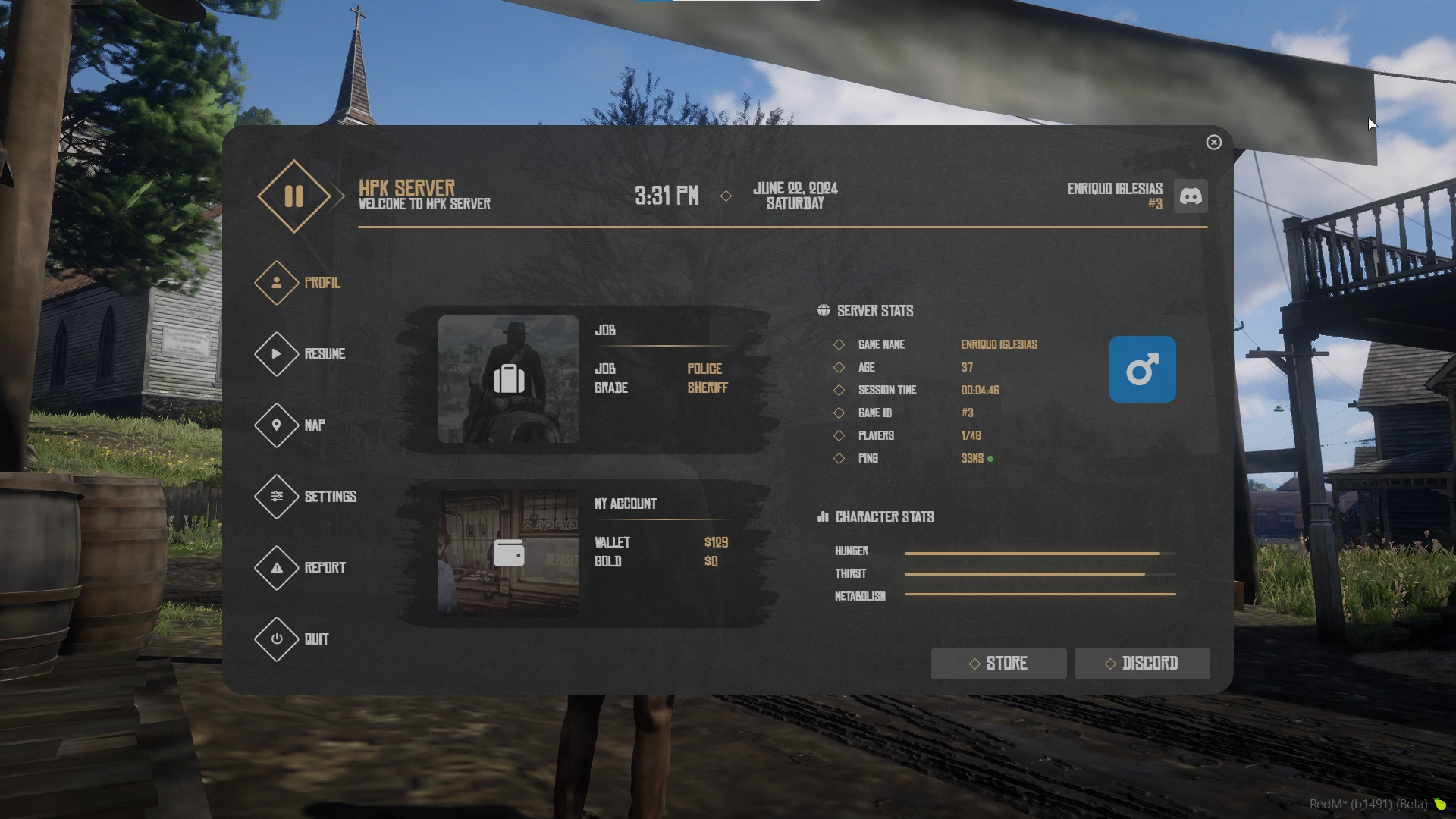
Custom pause menu replacement for RedM servers. Replaces the default ESC/P menu with a fully customizable interface displaying player information, server stats, and integrated reporting system.
### Features
* **Custom Pause Menu**: Replaces default ESC/P menu
* **Player Information**: Displays name, job, money, gold, hunger, thirst, metabolism
* **Server Stats**: Shows player count, ping, session time
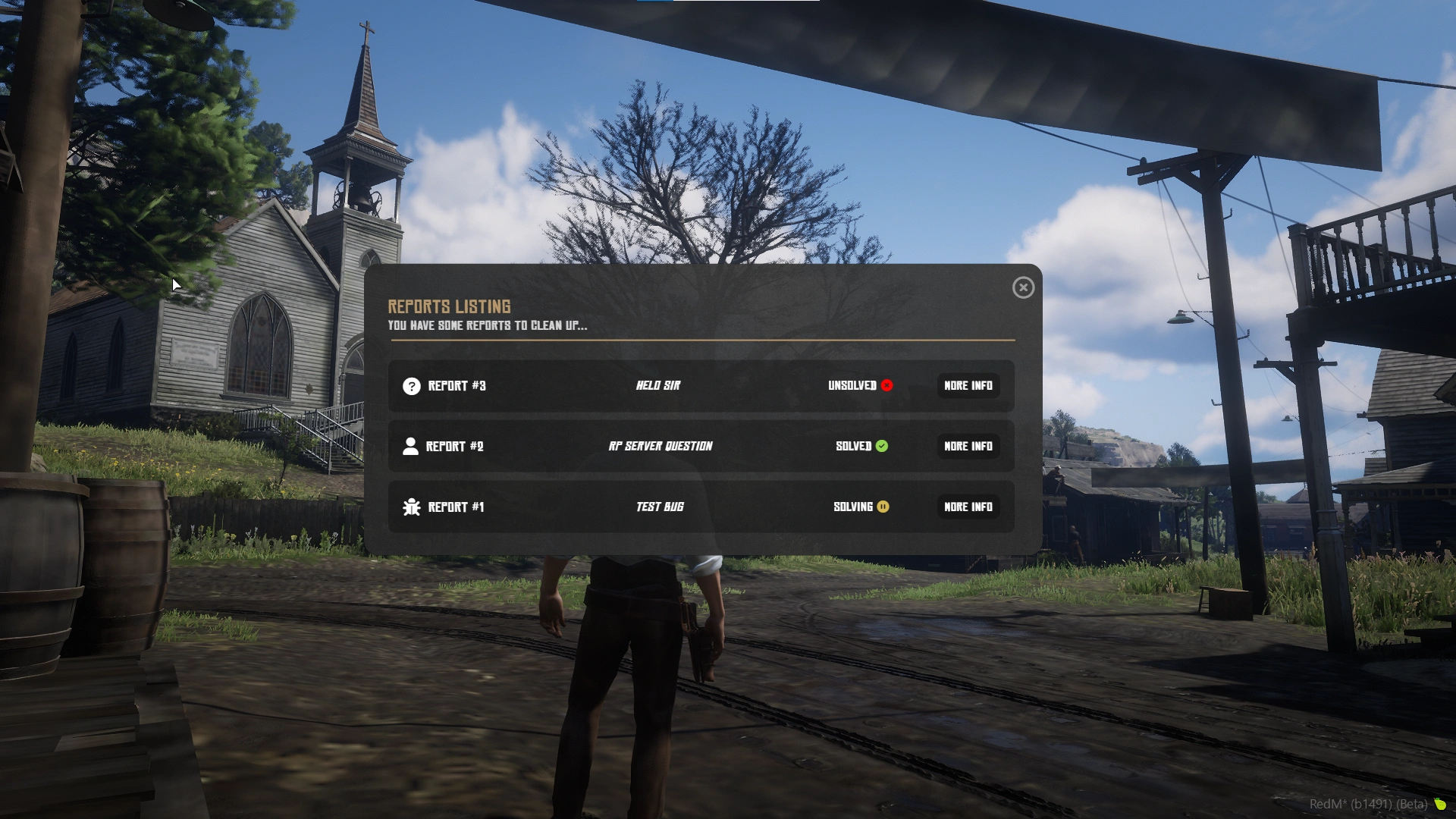
* **Report System**: Integrated reporting system for players and admin management
* **Core Support**: Compatible with VORP Core and RSG Core
* **Quick Access**: Direct links to map, settings, Discord, and store
* **Visual Effects**: Optional blur effects when menu opens
* **Multi-language**: Fully customizable language system
### Installation
1. Place the `hpk_pausemenu` folder in your server's `resources` directory
2. Add `ensure hpk_pausemenu` to your `server.cfg`
3. Configure the script in `shared/_main.lua`
### Configuration
#### Core Selection
```lua
PAUSEMENU.Core = "VORP" -- Options: "VORP" or "RSG"
```
#### Keybinds
```lua
PAUSEMENU.EnableEsc = true -- Enable/disable ESC key
PAUSEMENU.EnableP = true -- Enable/disable P key
```
#### Sound & Effects
```lua
PAUSEMENU.Sound = true -- Sound when opening menu
PAUSEMENU.SetEffect = false -- Enable blur effect
PAUSEMENU.Effect = "SkyTimelapses01" -- Effect name (see timecycles.lua)
```
#### Links
```lua
PAUSEMENU.Discord = true
PAUSEMENU.LinkDiscord = "https://discord.gg/EXhgGmaqZN"
PAUSEMENU.Store = true
PAUSEMENU.LinkStore = "https://hpk-dev.tebex.io"
```
#### Currency & Format
```lua
PAUSEMENU.Currency = "USD" -- EUR, GBP, USD...
PAUSEMENU.Format = "en-US" -- fr-FR, en-GB, es-ES...
```
#### Server Settings
```lua
PAUSEMENU.PingAdress = "https://www.google.com" -- Ping address for latency
PAUSEMENU.MaxPlayers = "512" -- Max server slots
PAUSEMENU.Quit = "HPK PAUSEMENU - https://hpk-dev.tebex.io/" -- Quit message
```
#### Report System
```lua
PAUSEMENU.ReportSoundAdmin = true -- Sound notification for admins
PAUSEMENU.ReportListCommand = "reportadmin" -- Command to open report list
PAUSEMENU.Webhook = "YOUR_DISCORD_WEBHOOK" -- Discord webhook for reports
PAUSEMENU.ServerName = 'HPK DEV - Logs Report' -- Server name in webhooks
PAUSEMENU.IconURL = 'YOUR_ICON_URL' -- Icon URL for webhooks
PAUSEMENU.DateFormat = '%d/%m/%Y [%X]' -- Date format for webhooks
```
#### Language
All text can be customized in the `PAUSEMENU.Language` table:
```lua
PAUSEMENU.Language = {
ServerName = "HPK SERVER",
Profil = "Profil",
Resume = "Resume",
-- ... more translations
}
```
### Commands
* `/openPause` - Open the pause menu manually
* `/reportadmin` - Open report list (admins only, configurable)
### Exports
```lua
-- Open report form
exports['hpk_pausemenu']:Report()
-- Open report list (admins)
exports['hpk_pausemenu']:ReportList()
```
### Report System
#### For Players
Players can create reports directly from the pause menu:
* Player reports
* Bug reports
* Questions
#### For Admins
Admins can:
* View all reports
* Mark reports as solved/unsolved
* Teleport to reported players
* Receive Discord webhook notifications
### Requirements
* RedM Server
* VORP Core or RSG Core