> For the complete documentation index, see [llms.txt](https://rex-studio.gitbook.io/rex-studio-docs/llms.txt). Markdown versions of documentation pages are available by appending `.md` to page URLs; this page is available as [Markdown](https://rex-studio.gitbook.io/rex-studio-docs/fivem-script/tresor-diving.md).
# TRESOR DIVING
### 📋 Description
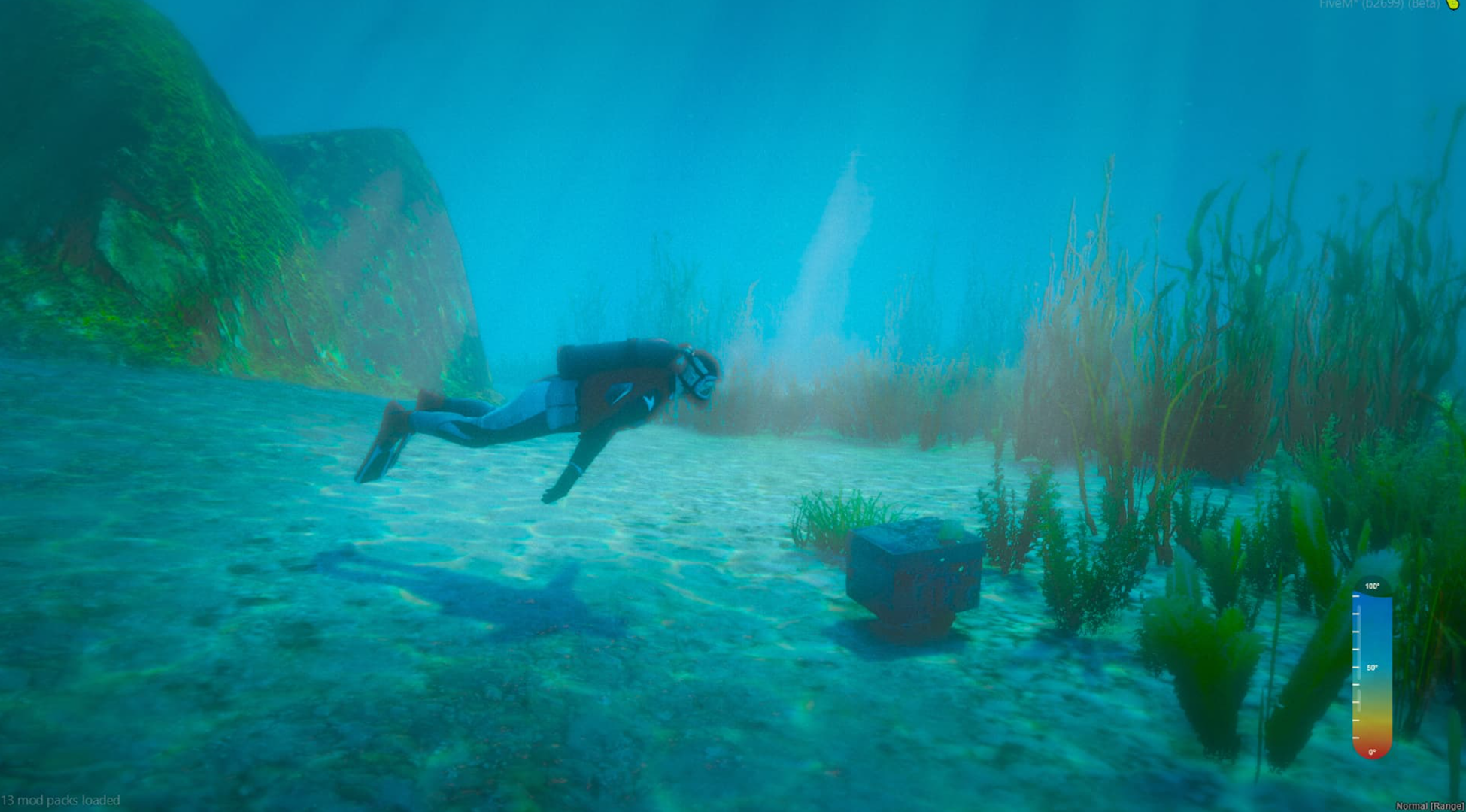
HPK TRESOR DIVING is an advanced FiveM script that allows players to explore underwater treasures through scuba diving. Players can rent diving suits with different oxygen durations, rent submersibles, and dive to discover various treasures including money, items, and artifacts scattered across the ocean floor.
### ✨ Features
#### 🤿 Diving System
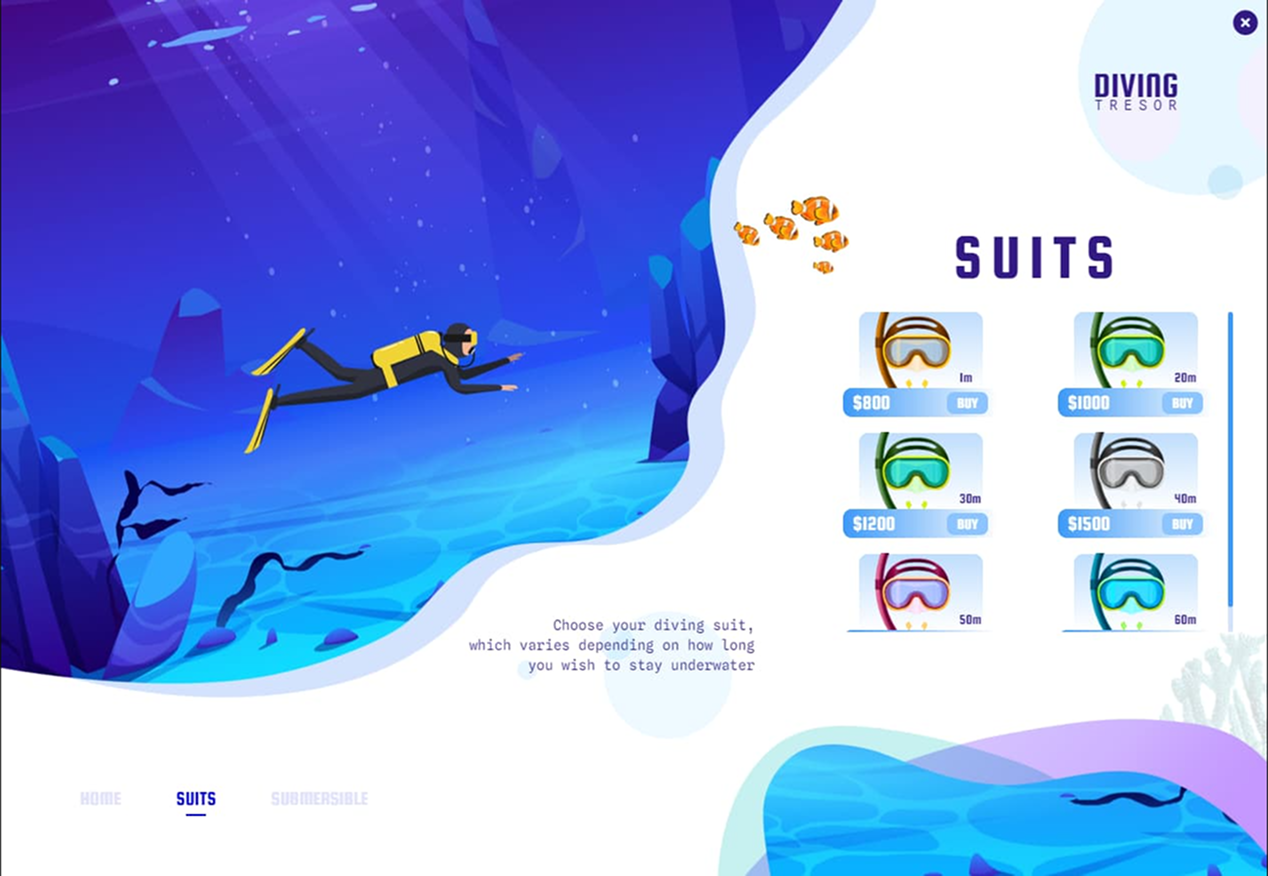
* **6 Different Diving Suits**: From 10 to 60 minutes of oxygen
* **Realistic Underwater Exploration**: Depth-based treasure discovery
* **Oxygen Management**: Timer-based oxygen consumption
* **Underwater Lamp**: Toggleable diving light for better visibility
* **Treasure Discovery**: Random chance to find items, money, or dirty money
#### 🚤 Submersible Rentals
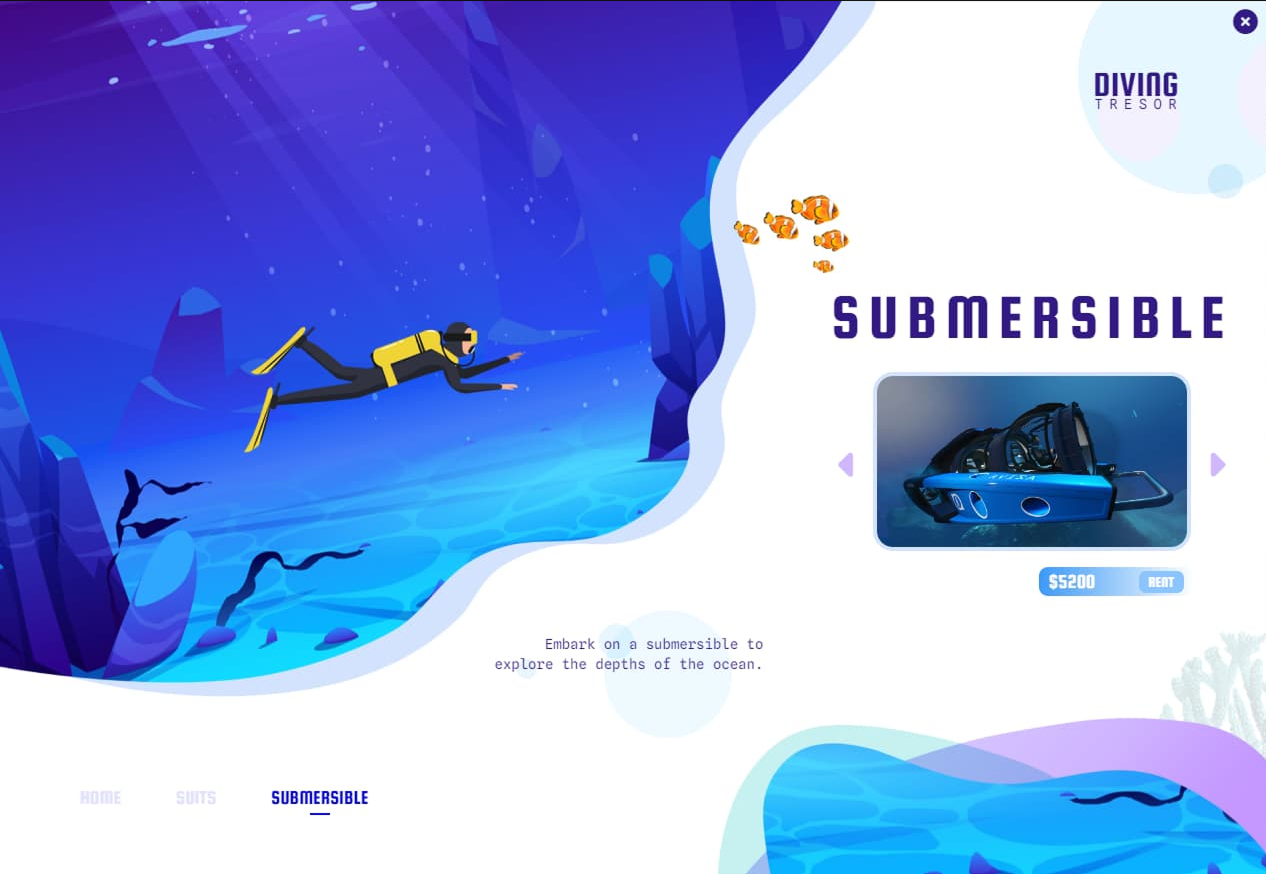
* **3 Different Submersibles**: Avisa, Submersible, and Kraken
* **Realistic Pricing**: Progressive pricing system
* **Bank/Cash Payment**: Support for both cash and bank transactions
#### 💰 Treasure System
* **Multiple Item Types**: Water bottles, money, dirty money
* **Randomized Rewards**: Probability-based discovery system
* **Anti-Exploit Protection**: Maximum amount limits and validation
#### 🗺️ Location System
* **6 Strategic Locations**: Across Los Santos and surrounding areas
* **Blip System**: Map markers for easy location finding
* **Distance-Based Visibility**: Performance-optimized NPC rendering
#### 📊 Logging & Security
* **Discord Webhook Integration**: Complete activity logging
* **Anti-Cheat Measures**: Server-side validation and limits
* **Detailed Logs**: Player actions, items found, and transactions
### 🔧 Installation
#### Prerequisites
* ESX or QB-Core Framework
* MySQL Database (for ESX)
* Working inventory system
#### Step-by-Step Installation
1. **Download the script** from [HPK Development Store](https://hpk-dev.tebex.io/)
2. **Choose your framework version**:
* Use `tresordiving[ESX]` for ESX servers
* Use `tresordiving[QBCORE]` for QB-Core servers
3. **Place the folder** in your `resources` directory
4. **Add to server.cfg**:
```
ensure tresordiving
```
### ⚙️ Framework-Specific Configuration
#### For QB-Core
Add these items to `qb-core/shared/items.lua`:
```lua
['oxygen_mask1'] = {['name'] = 'oxygen_mask1', ['label'] = 'Oxygen Mask 1', ['weight'] = 0, ['type'] = 'item', ['image'] = 'oxygen_mask1.png', ['unique'] = false, ['useable'] = true, ['shouldClose'] = false, ['combinable'] = nil, ['description'] = 'Oxygen Mask 10min'},
['oxygen_mask2'] = {['name'] = 'oxygen_mask2', ['label'] = 'Oxygen Mask 2', ['weight'] = 0, ['type'] = 'item', ['image'] = 'oxygen_mask2.png', ['unique'] = false, ['useable'] = true, ['shouldClose'] = false, ['combinable'] = nil, ['description'] = 'Oxygen Mask 20min'},
['oxygen_mask3'] = {['name'] = 'oxygen_mask3', ['label'] = 'Oxygen Mask 3', ['weight'] = 0, ['type'] = 'item', ['image'] = 'oxygen_mask3.png', ['unique'] = false, ['useable'] = true, ['shouldClose'] = false, ['combinable'] = nil, ['description'] = 'Oxygen Mask 30min'},
['oxygen_mask4'] = {['name'] = 'oxygen_mask4', ['label'] = 'Oxygen Mask 4', ['weight'] = 0, ['type'] = 'item', ['image'] = 'oxygen_mask4.png', ['unique'] = false, ['useable'] = true, ['shouldClose'] = false, ['combinable'] = nil, ['description'] = 'Oxygen Mask 40min'},
['oxygen_mask5'] = {['name'] = 'oxygen_mask5', ['label'] = 'Oxygen Mask 5', ['weight'] = 0, ['type'] = 'item', ['image'] = 'oxygen_mask5.png', ['unique'] = false, ['useable'] = true, ['shouldClose'] = false, ['combinable'] = nil, ['description'] = 'Oxygen Mask 50min'},
['oxygen_mask6'] = {['name'] = 'oxygen_mask6', ['label'] = 'Oxygen Mask 6', ['weight'] = 0, ['type'] = 'item', ['image'] = 'oxygen_mask6.png', ['unique'] = false, ['useable'] = true, ['shouldClose'] = false, ['combinable'] = nil, ['description'] = 'Oxygen Mask 60min'},
```
**Add image files** to `qb-inventory/html/images/`
#### For ESX
Execute this SQL query in your database:
```sql
INSERT INTO `items` (`name`, `label`, `weight`, `rare`, `can_remove`) VALUES
('oxygen_mask1', 'Oxygen mask 1', '1', '0', '1'),
('oxygen_mask2', 'Oxygen mask 2', '1', '0', '1'),
('oxygen_mask3', 'Oxygen mask 3', '1', '0', '1'),
('oxygen_mask4', 'Oxygen mask 4', '1', '0', '1'),
('oxygen_mask5', 'Oxygen mask 5', '1', '0', '1'),
('oxygen_mask6', 'Oxygen mask 6', '1', '0', '1');
```
**Add image files** to your inventory images folder
### ⚙️ Configuration
#### Main Configuration File: `shared/config.lua`
```lua
Config = {}
-- PED LOCATIONS
Config.Peds = {
{
model = "mp_m_freemode_01",
coords = vec4(-1576.7941894531, -1174.6826171875, 2.1403863430023, 323.24044799805),
coordsVehicle = vec4(-1606.93, -1209.54, -0.08935, 124.72),
visibleDistance = 50.0
},
-- ... more locations
}
-- BLIP CONFIGURATION
Config.blip = true -- Enable/disable map blips
Config.blipSprite = 751 -- Blip icon ID
Config.blipColor = 3 -- Blue color
Config.blipName = "Tresor Diving"
-- DIVING PARAMETERS
Config.depthMinimum = 20.0 -- Minimum depth for treasure hunting
Config.distanceBetween = 20.0 -- Distance between search points
-- LIGHT SYSTEM
Config.lightKey = 47 -- G key to toggle light
Config.lightcolorR = 255 -- Light color (RGB)
-- LOGGING
Config.log = false -- Enable/disable logging
Config.webhook = "" -- Discord webhook URL
```
#### Diving Suits Configuration
```lua
Config.Suits = {
{
itemName = "oxygen_mask1",
notification = "You have 10 minute of oxygen.",
timer = 10*60, -- 10 minutes in seconds
price = '800',
img = 'images/suits_1.png',
suits = {
male = { ['tshirt_1'] = 15, ['torso_1'] = 243, /* ... */ },
female = { ['tshirt_1'] = 14, ['torso_1'] = 251, /* ... */ }
}
},
-- ... 5 more suit configurations
}
```
#### Submersible Configuration
```lua
Config.Submersible = {
{
vehicleName = 'avisa',
img = 'images/avisa.webp',
price = '5200'
},
{
vehicleName = 'submersible',
img = 'images/submersible.webp',
price = '5000'
},
{
vehicleName = 'submersible2',
img = 'images/kraken.webp',
price = '5500'
}
}
```
#### Treasure Configuration
```lua
Config.Items = {
{ object="item", amount=1, name="water", random=50 },
{ object="money", amount=500, name="money", random=100 },
{ object="dirtymoney", amount=500, name="dirtymoney", random=100 },
}
Config.Props = {
{ name = "prop_box_ammo04a", depth = 1.9 },
{ name = "prop_byard_rowboat1", depth = 2.0 },
-- ... more underwater props
}
```
### 🎮 Usage
#### For Players
1. **Locate a Diving Instructor**: Find NPCs marked with "Tresor Diving" blips
2. **Rent Diving Equipment**: Choose from 6 different oxygen masks (10-60 min)
3. **Optional Submersible**: Rent a submersible for deeper exploration
4. **Start Diving**: Use the rented equipment to explore underwater
5. **Search for Treasures**: Press E to search when you see glowing areas
6. **Collect Rewards**: Automatic inventory/bank additions
7. **Cancel Diving**: Use `/cancelSuits` command to stop diving
#### Diving Controls
* **E**: Search for treasures (when in glowing areas)
* **G**: Toggle underwater lamp on/off
* **Movement**: WASD for swimming
* **Mouse**: Look around
### 🔄 Mission Flow
1. **Approach NPC**: Talk to diving instructor
2. **Rent Equipment**: Choose oxygen duration and optional submersible
3. **Enter Water**: Dive to minimum depth (20 units)
4. **Search Areas**: Look for glowing treasure indicators
5. **Collect Items**: Press E to collect discovered treasures
6. **Surface**: Return to shore when oxygen runs low
7. **Repeat**: Continue diving or end session
### 📊 Logging System
#### Discord Webhook Integration
When enabled, the script logs:
* **Player Actions**: Item rentals, treasure discoveries
* **Financial Transactions**: Money spent/received
* **Anti-Cheat Events**: Suspicious activities
Example Discord embed:
```
Player: John Doe (ID: 123)
Action: Found treasure
Item: Water bottle
Amount: 1
```
### 🛠️ Commands
* `/cancelSuits` - Remove diving equipment and end diving session
### 🏷️ Items & Pricing
#### Oxygen Masks
* **10 min Oxygen Mask**: $800
* **20 min Oxygen Mask**: $1000
* **30 min Oxygen Mask**: $1200
* **40 min Oxygen Mask**: $1500
* **50 min Oxygen Mask**: $2200
* **60 min Oxygen Mask**: $2500
#### Submersibles
* **Avisa**: $5200
* **Submersible**: $5000
* **Kraken**: $5500
### 📝 Important Notes
* **Framework Compatibility**: Choose correct version (ESX/QB-Core)
* **Image Files**: Ensure all PNG/WEBP files are properly installed
* **Database**: ESX requires SQL item insertion
* **Performance**: Optimized for multiple simultaneous divers
* **Security**: Server-side validation prevents exploitation
### 🔒 Security Features
* **Server-side Validation**: All transactions validated server-side
* **Anti-Exploit**: Maximum amount limits and cooldowns
* **Logging**: Complete activity tracking
* **Input Sanitization**: Protected against injection attacks
### 🐛 Troubleshooting
#### Common Issues
**Items not appearing in inventory:**
* Check if items are properly added to shared items (QB-Core)
* Verify SQL insertion completed (ESX)
* Ensure image files are in correct directories
**Blips not showing:**
* Verify `Config.blip = true`
* Check blip coordinates are valid
**Webhook not working:**
* Verify Discord webhook URL is correct
* Check server has internet access
***